


When an employee needs assistance, the fastest solution is often the simplest one.
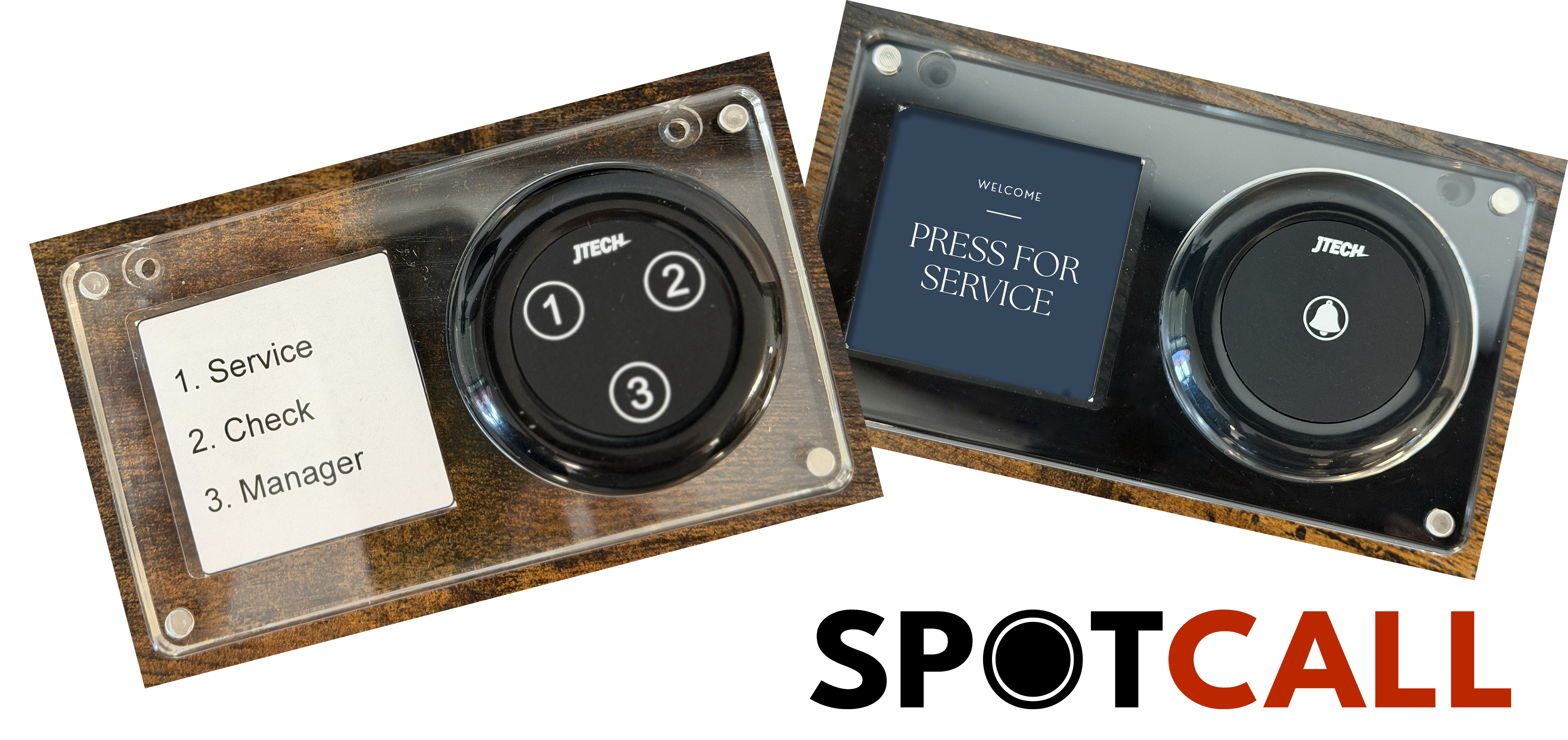
JTECH’s new one-button and three-button SpotCall wireless call buttons give employees an easy way to send a pre-programmed numeric or alphanumeric message directly to a JTECH pager. With the press of a button, the right person can be notified without shouting, searching for a coworker, making a phone call, or leaving a customer or work area unattended.
The concept is simple, but the applications extend across restaurants, retail, healthcare, hotels, manufacturing and other operations where faster communication can make a difference.
How Do JTECH Call Buttons Work?
A call button is placed wherever employees or customers may need to request assistance. When a button is pressed, a programmed message is sent to the appropriate JTECH pager or pagers.
A one-button call button is ideal for a single, clearly defined request, such as "Assistance Needed" or "Call Server."
A three-button call button allows the same location to initiate different requests. Each button can be programmed for a specific action, allowing the person receiving the page to know what is needed before responding.
For example, a restaurant could configure three buttons as:
1. Server
2. Food Runner
3. Busser
Instead of simply knowing that someone needs help, staff immediately know what kind of help is needed.
Restaurants: Keep Service Moving
Restaurant employees are constantly moving, making it difficult to find the right person at the right moment. Call buttons can help connect front-of-house and back-of-house employees without adding more noise to the environment.
Common restaurant applications include:
- Call servers to tables when guests need assistance
- Request food runners when orders are ready
- Notify bussers that a table needs to be cleared
- Request host stand assistance during busy periods
- Alert a manager when additional support is needed
A three-button model can be particularly useful in restaurants because one device can trigger several different staff workflows.
Retail: Get Customers Help Without the Wait
Customers may need assistance in areas where an employee isn't always stationed. Instead of making customers search the store for help, a call button can notify an associate directly.
Retail applications include:
- Customer assistance in specific departments
- Fitting room requests
- Checkout backup when lines begin to grow
- Stockroom support for product or inventory questions
- Manager assistance for customer service issues
Because the pager can display a numeric or alphanumeric message, employees can receive more useful information about where assistance is needed.
Healthcare: Connect Staff Quickly
In healthcare environments, employees frequently need a simple way to reach another staff member while remaining with a patient or at their work area.
Potential applications include:
- Nurse assistance
- Reception notifications
- Patient check-in
- Staff coordination
- Requests for additional support in a treatment or waiting area
A call button and pager system provides a straightforward method of staff notification without requiring employees to continually check a phone or computer.
Hotels: Support Guests Across the Property
Hotel employees rarely stay in one place. Housekeeping, valet, maintenance, concierge and front desk teams may all be working in different parts of a property.
Call buttons can be used for:
- Concierge requests
- Housekeeping alerts
- Valet notifications
- Front desk assistance
- Maintenance or supervisor requests
A specific alphanumeric message can help the recipient understand both the location and type of request, allowing the appropriate employee to respond.
Manufacturing: Request Help Without Leaving the Work Area
On a production floor, leaving a workstation to locate a supervisor or maintenance employee can interrupt productivity. A strategically placed call button allows employees to request assistance while remaining at their station.
Manufacturing applications include:
- Production support
- Maintenance requests
- Supervisor alerts
- Material replenishment
- Quality control assistance
A three-button call station could, for example, be configured for Maintenance, Materials, and Supervisor, giving employees three distinct requests from one device.
Why Pair Call Buttons With JTECH Pagers?
The call button is only one part of the communication system. What matters is making sure the request reliably reaches the people who can act on it.
JTECH call buttons work with quality JTECH pagers to create a simple connection between the person requesting assistance and the employee responsible for responding. Numeric and alphanumeric messaging can provide more information than a basic alert, helping staff understand what is needed and respond appropriately.
The result is a communication workflow that is:
- Simple for employees and customers to use
- Fast and discreet
- Flexible for different departments and applications
- Easy to adapt to specific operational needs
- Designed around dependable JTECH paging technology
One Button Can Solve a Bigger Communication Problem
Not every operational challenge needs another app, screen or complicated software platform.
Sometimes the most effective workflow is simply: press a button, send the right message, reach the right person.
Whether you need one button for a single request or three buttons to trigger different actions, JTECH can help configure a call button and pager solution around the way your team actually works.
Looking for a better way for employees or customers to request assistance? Contact JTECH to discuss the right call button and pager combination for your operation.
Shop Now